Free AI Bike Fit: Check Saddle Height, Reach, and Knee Angle at Home
Triathlete and founder of BikeFittr
Reduce guesswork
Want the answer for your own bike?
Use this free ai bike fit: check saddle height, reach, and knee angle at home guide as the background, then run a quick BikeFittr check so visitors have a clear next step instead of leaving after reading.
Start free AI bike fit
Upload a side-view photo and get a first read on saddle height, reach, and posture.
Run full fit analysis
Use the guided flow if you want saddle, cockpit, and bike-type feedback together.
Check saddle height only
Measure knee angle first if the saddle is the main thing you want to verify.
Popular next steps: Run full fit analysis · Check saddle height only
A good bike fit does not start with buying a new saddle or copying a pro rider's position. It starts with one simple question: what does your position actually look like when you ride?
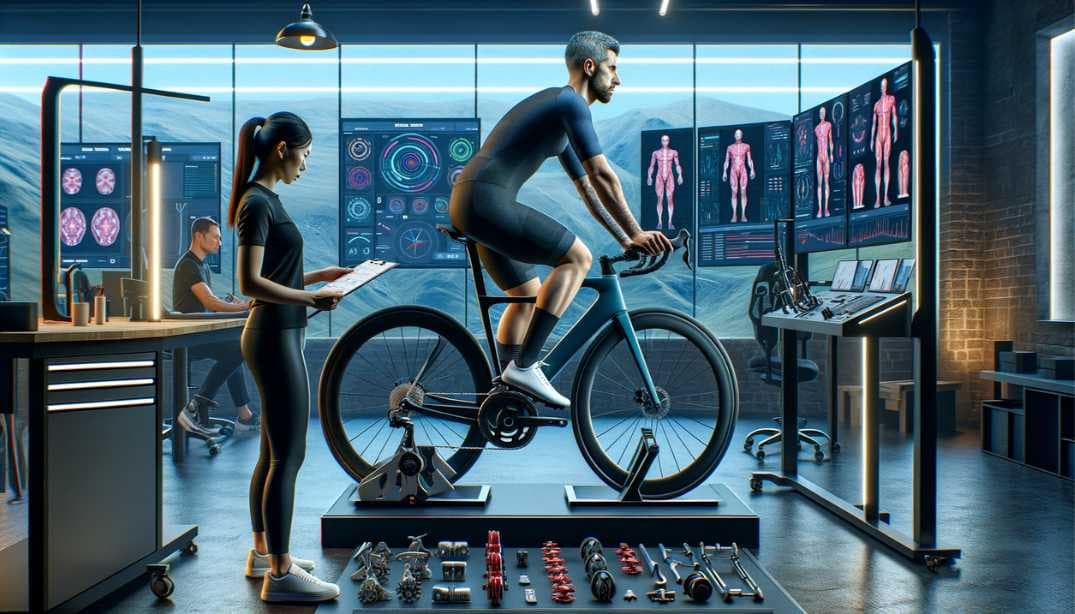
That is where a free AI bike fit helps. Take a side-view photo, upload it, and use the measurements as a first pass before you start moving parts around. It will not replace a skilled fitter for complex pain or injury problems, but it can catch the obvious issues: a saddle that is too high, a knee angle that is too closed, a cockpit that pulls you too far forward, or a posture that does not match how you want to ride.
You can start with the BikeFittr AI bike fit app or go straight into the full bike fit analysis if you already have a photo ready.
What an AI bike fit can measure
BikeFittr reads a side-view riding photo and estimates the body angles that matter most for a first bike fit check.
The useful measurements are:
- Knee angle at the bottom of the pedal stroke
- Hip angle and general torso position
- Back angle
- Arm angle
- Saddle height clues
- Cockpit reach clues
- Differences between a comfort, balanced, or performance position
These numbers are useful because they turn a vague feeling into something you can act on. "My knees feel strange" is hard to fix. "My knee angle is much lower than the road bike target range" gives you a place to start.
What you need before taking the photo
Keep the setup boring. Boring is good here.
You need:
- Your bike on a trainer or held steady against a wall
- The shoes you normally ride in
- Fitted clothing, because baggy shorts hide your hip and knee points
- A phone or camera about 2 to 3 meters away
- The camera roughly at saddle height
- A photo from the side, not from the front or at an angle
If you can, take the photo while pedaling lightly on a trainer. If that is not possible, sit in your normal riding position with the crank at the bottom of the pedal stroke. Do not sit extra tall for the camera. Do not reach differently than you would on the road. The photo only helps if it shows the position you actually ride.
The most important check: saddle height
Saddle height is usually the first thing to check because it affects almost everything else.
If the saddle is too low, your knee stays too bent at the bottom of the stroke. That can feel powerful for a few minutes, but it often loads the front of the knee and wastes energy.
If the saddle is too high, your hips may rock from side to side. You may point your toes to reach the pedal. Some riders feel this as hamstring tension, saddle discomfort, or a vague sense that they cannot stay planted on the bike.
For many road bike riders, the knee angle at the bottom of the pedal stroke is usually around 140 to 150 degrees. Mountain bikes often sit a little lower. Triathlon bikes can be a bit more extended, depending on the position.
Use the saddle height tool if that is the only thing you want to check today.
Reach and cockpit fit
Reach problems are harder to spot by feel because riders adapt. You might lock your elbows, slide forward on the saddle, shrug your shoulders, or round your back without noticing.
Signs your reach may be too long:
- You feel stretched out on the hoods
- Your shoulders creep up toward your ears
- Your elbows stay locked
- Your lower back gets tired before your legs do
- You slide forward on the saddle during harder efforts
Signs your reach may be too short:
- Your elbows feel cramped
- Your knees come close to your torso
- The bike feels twitchy or crowded
- You struggle to breathe deeply in a lower position
A side-view AI bike fit can help separate saddle problems from cockpit problems. If your saddle height is close but your upper body angles look off, the next check is usually cockpit position. Use the cockpit fit tool or the handlebar width and reach calculator for that.
How accurate is a free AI bike fit?
It depends on the photo.
A clean side-view photo with good lighting can be accurate enough to guide sensible first adjustments. A dark photo, angled camera, baggy clothing, or a crank in the wrong position can make the numbers worse.
That is why you should treat the result as a decision aid, not a verdict. If the tool says your saddle is wildly high and you also see hip rocking in a video, that is a strong signal. If the result is only a few degrees outside the range and you feel great on the bike, do not chase the number blindly.
Bike fit is not about hitting a perfect angle. It is about finding a position you can hold comfortably while producing power.
When to use the full fit flow
Use the full BikeFittr analysis if you want the bigger picture.
That makes sense when:
- You changed bikes
- You changed saddle, shoes, cleats, stem, or crank length
- You have knee, hip, neck, or lower back discomfort
- You are moving from casual riding to longer road rides
- You want to compare comfort and performance positions
- You are not sure whether the problem is saddle height or reach
The full flow is more useful than checking one angle in isolation because bike fit is connected. Raising the saddle changes reach. Moving the saddle forward changes knee position. A shorter crank can change hip comfort. One adjustment can make another measurement look better or worse.
Quick bike fit checklist
Before you change anything, run through this:
- Take one side-view photo from saddle height.
- Check your knee angle at the bottom of the stroke.
- Look for hip rocking or toe pointing.
- Check whether your elbows are slightly bent.
- Notice whether your shoulders look relaxed or shrugged.
- Make one adjustment at a time.
- Retest after the change.
Small changes are enough. Move the saddle 3 to 5 mm, not 20 mm. Ride it. Then retest.
Start with one photo
If you only do one thing after reading this, take the photo. Most riders guess for too long.
Start here:
If you already know the saddle is the issue, use the saddle height analysis. If your upper body feels wrong, start with cockpit fit or the handlebar width and reach calculator.
The goal is not to turn your bike into a lab project. The goal is to make the next adjustment less random.
FAQ
Is an AI bike fit really free?
Yes. You can use BikeFittr to check your position at home without booking a studio fit.
Can AI replace a professional bike fitter?
Not always. A professional fitter is still the better choice for persistent pain, injury history, complicated asymmetries, or race-level optimization. AI is best as a fast first check and a way to avoid obvious setup mistakes.
What photo angle works best?
Use a side-view photo with the camera at saddle height. Keep the bike and rider fully visible. Avoid wide-angle distortion and angled photos from the front or rear.
What should I check first?
Start with saddle height. It affects knee angle, hip movement, comfort, and power. After that, check reach and cockpit position.
How often should I redo a bike fit?
Redo it after major equipment changes, after a new bike, after changing shoes or cleats, or when your flexibility or riding goals change. It is also worth checking again if pain appears after a period of comfortable riding.
Reduce guesswork
Ready to check your own fit?
Use this free ai bike fit: check saddle height, reach, and knee angle at home guide as the background, then run a quick BikeFittr check so visitors have a clear next step instead of leaving after reading.
Start free AI bike fit
Upload a side-view photo and get a first read on saddle height, reach, and posture.
Run full fit analysis
Use the guided flow if you want saddle, cockpit, and bike-type feedback together.
Check saddle height only
Measure knee angle first if the saddle is the main thing you want to verify.